Live product demo by iWORKS GLOBAL
Contest Voting System
A paid voting plugin buyers can preview before they buy.
Five demo contestants, live vote totals, a working results board, and the real WordPress admin flow are already running on this site. Open the public demo first, then review the wizard, settings, contestant editor, and licensing workflow below.
v3.4.2
5 demo contestants
1,242 sample votes
Paystack + Flutterwave
Featured-image contestant editor
Built for pageants, school contests, church programs, award campaigns, and client-specific voting projects that need both public payments and controlled delivery.
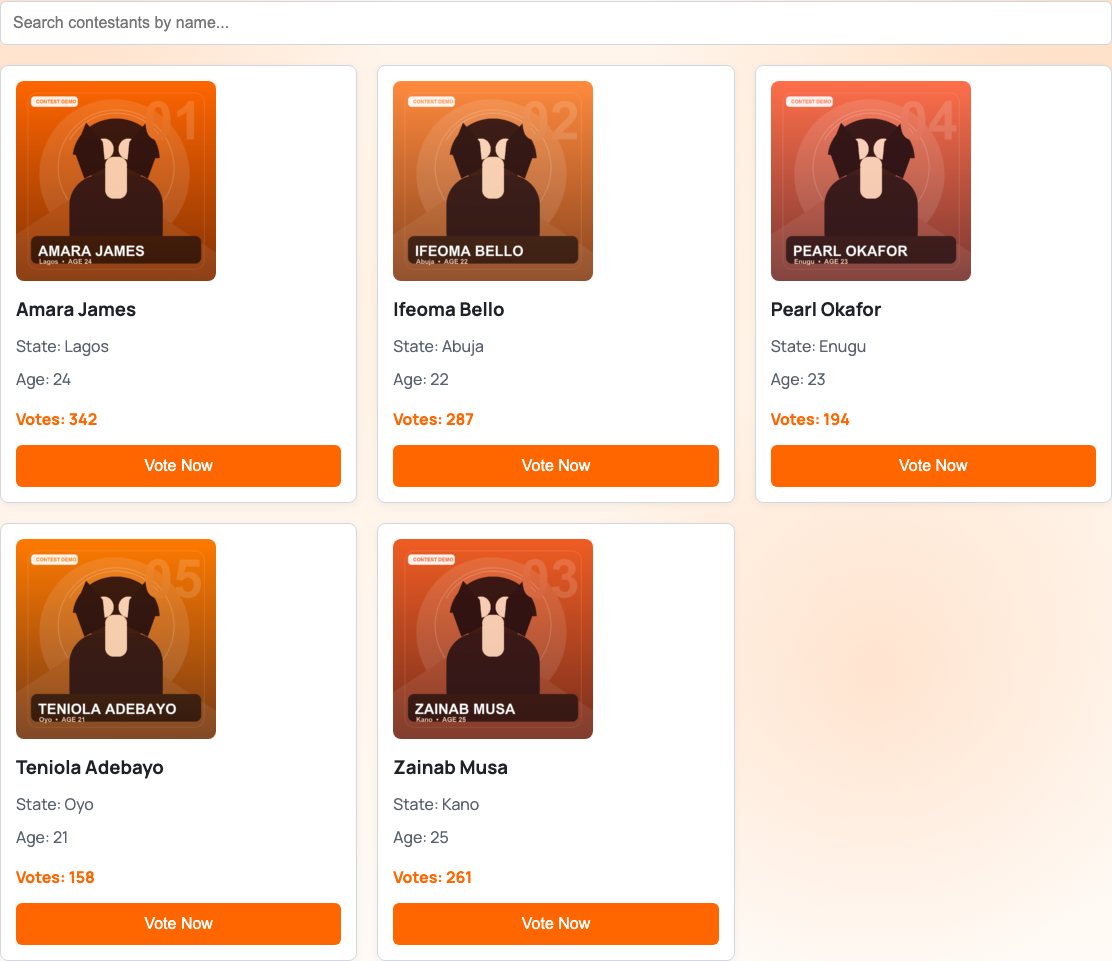

Frontend and admin flow
From public voting board to WordPress setup.
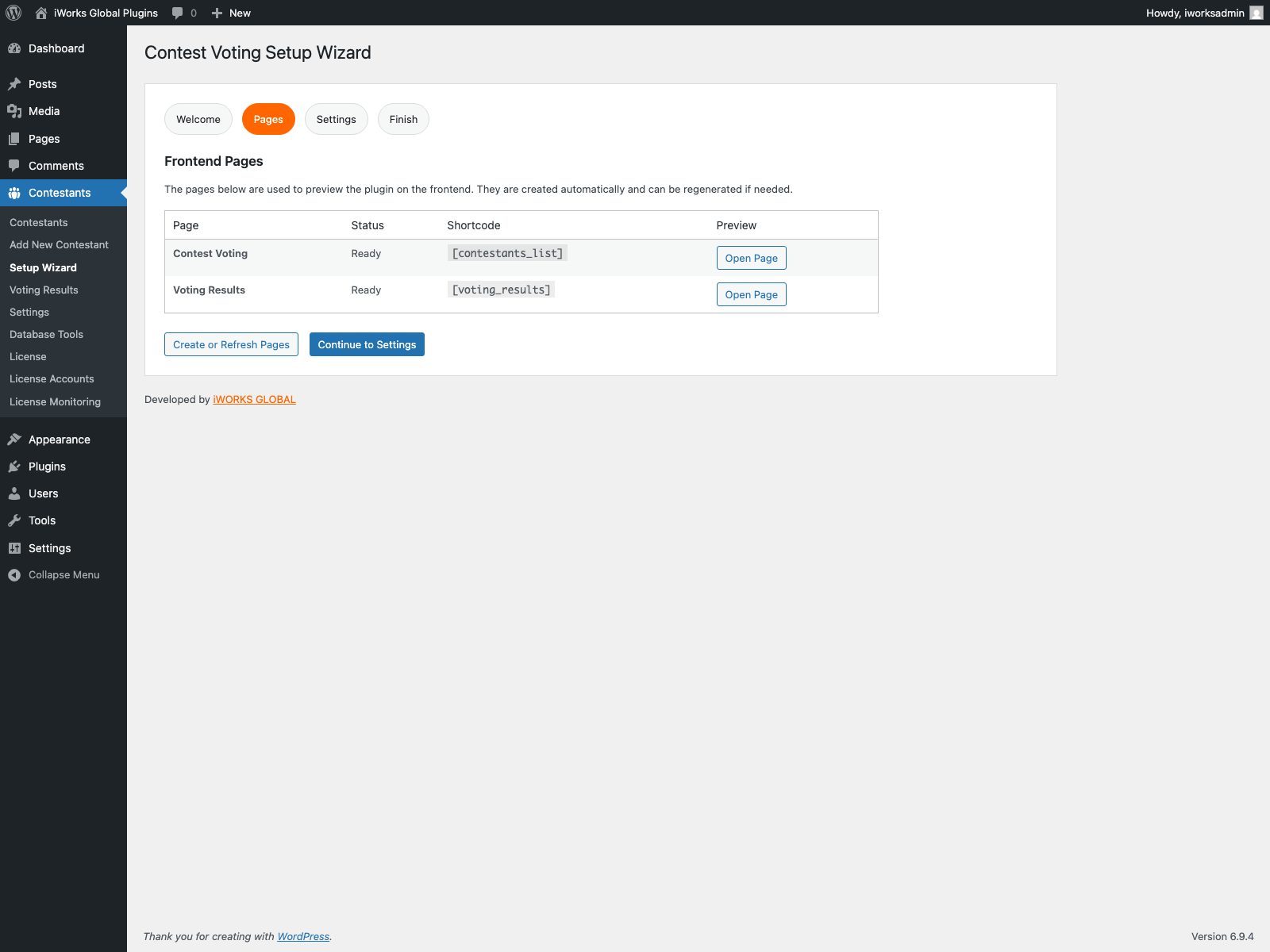
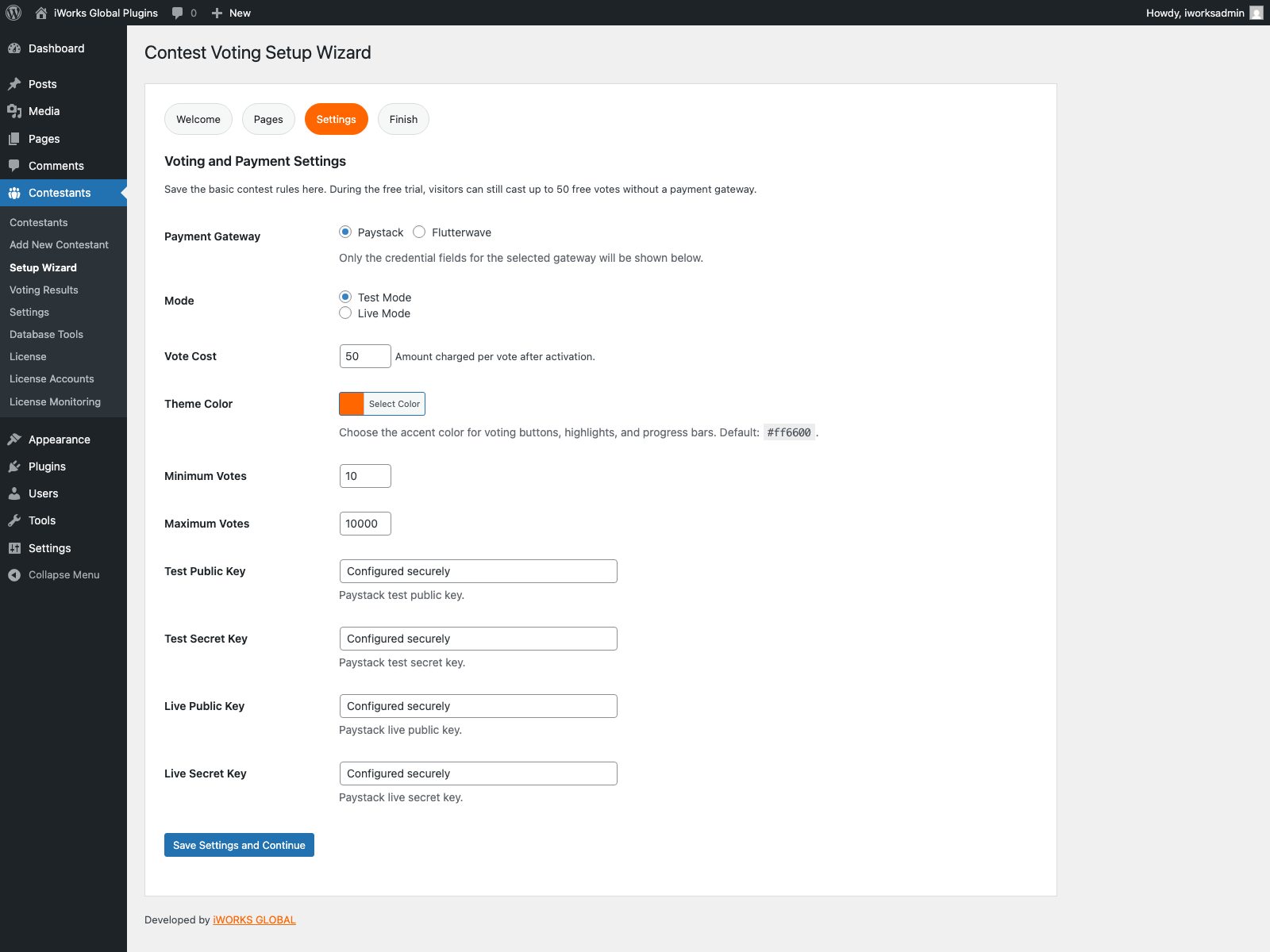
These screens come from the live plugin environment on this site, including the public contest pages and the admin flow organizers use after purchase.
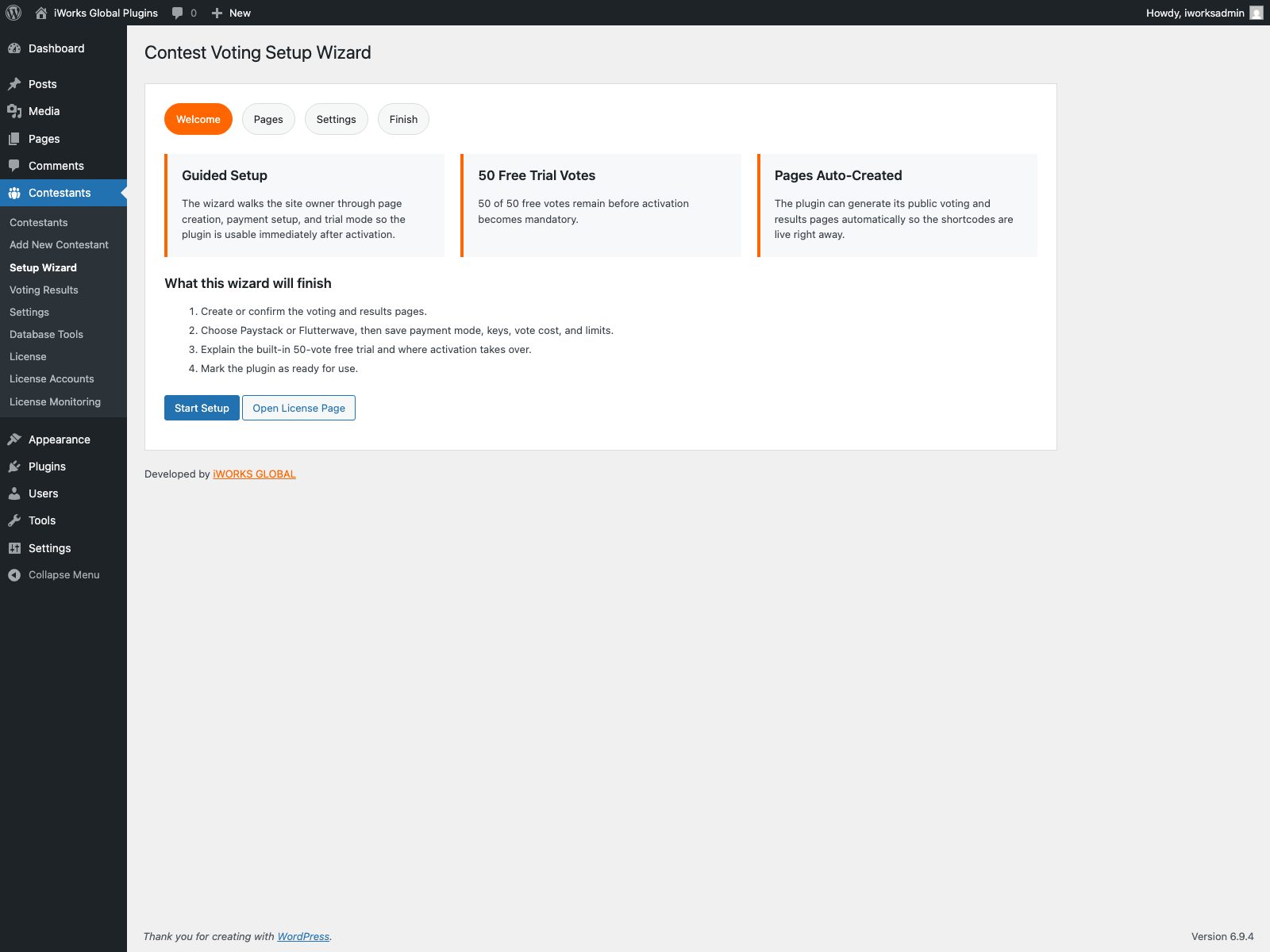
How it works in practice
The first-run experience is handled
Once activated, the buyer lands in setup immediately, creates the public pages, and can start testing without asking for documentation first.
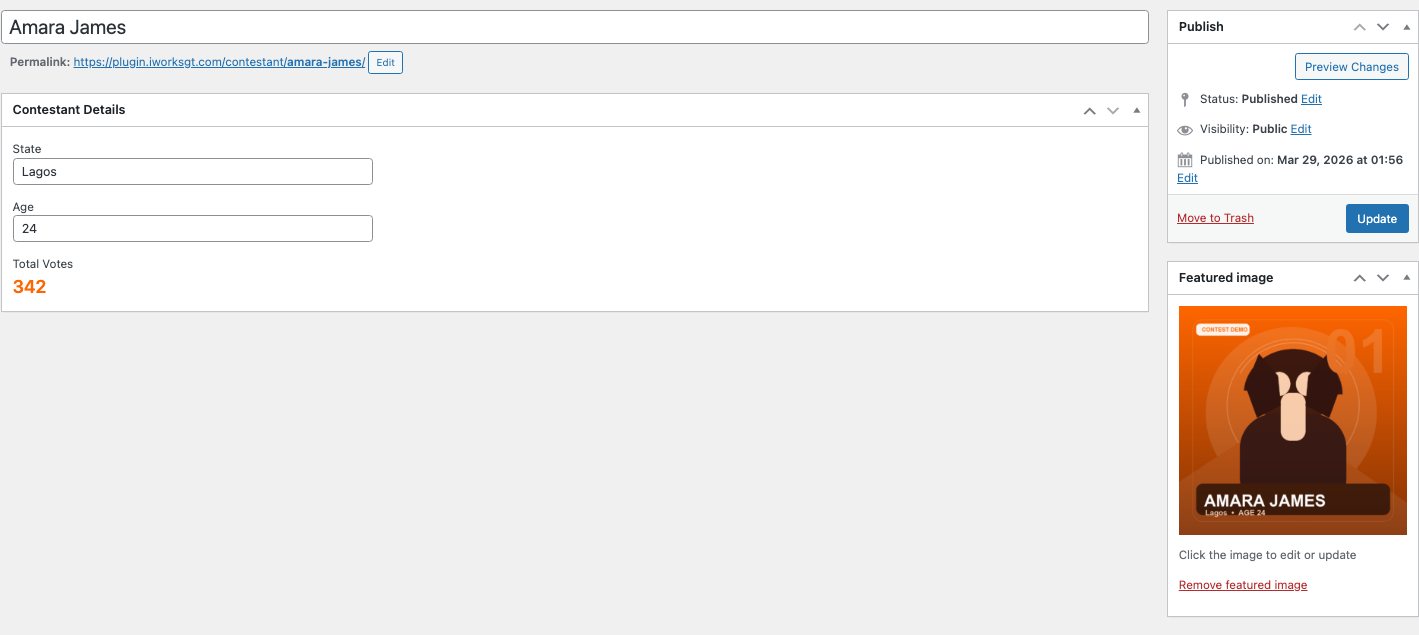
Contestants behave like normal WordPress content
Each contestant has a title, featured image, state, age, and vote total, so staff can manage entries from a familiar editor.
Frontend and results are publish-ready
The public voting page and live results page can be launched quickly because the plugin owns the shortcodes and the page creation flow.
Payment choice is already built in
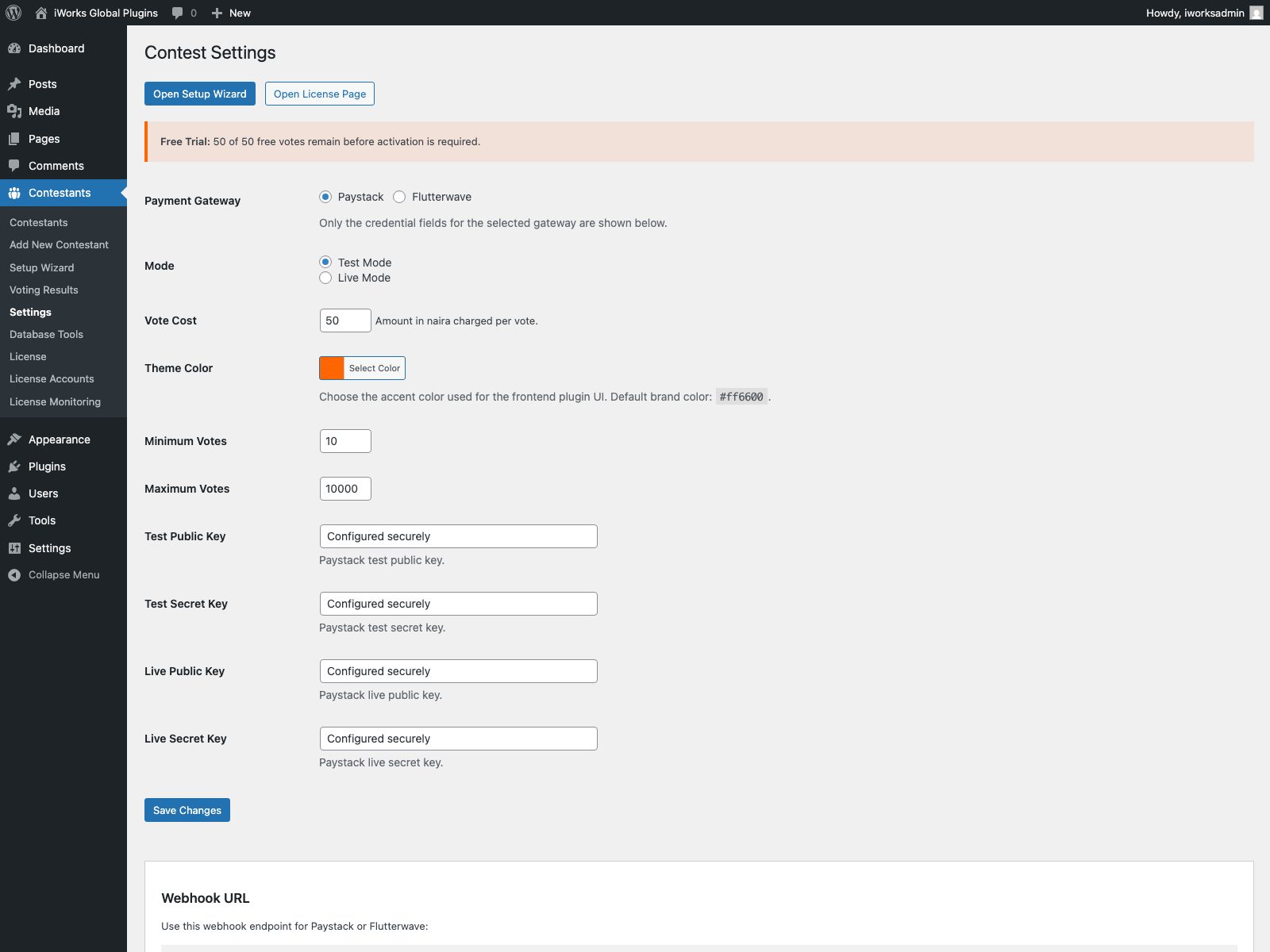
Paystack and Flutterwave are both supported, and only the selected gateway fields are shown to keep setup clean.
Trial mode lowers buyer friction
The built-in 50-vote trial gives buyers room to test the product before activation becomes mandatory on customer installs.
Seller-side control stays intact
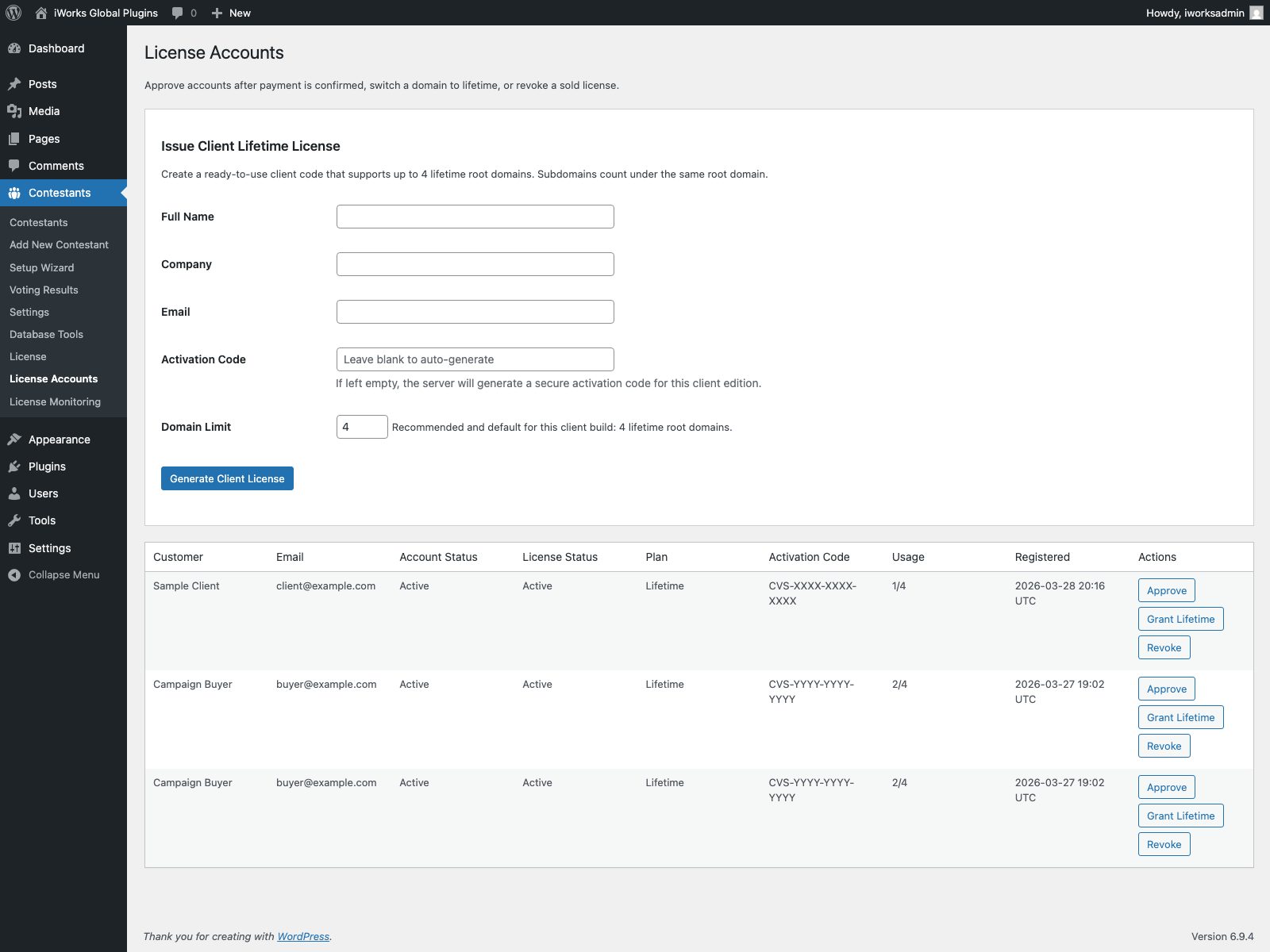
Activation, domain counting, revocation, and private client builds are all handled from the licensing side instead of being left to the buyer.
Built for real campaigns, not just a ZIP file handoff.
Seller-side licensing
Client-specific editions
Create private builds and issue activation codes tailored to a specific buyer.
Domain-aware activation
Allow a fixed number of root domains while treating subdomains under the same site as one slot.
Admin-side revocation
Approve, revoke, grant lifetime, and monitor usage from the server-side desk.
Sell the ZIP. Keep activation and domain control on your side.
The product is already set up for iWORKS GLOBAL’s delivery model: issue activation codes, approve lifetime builds, track domain usage, and keep commercial enforcement away from the client’s hands while still giving them a clean onboarding flow.
FAQ
Practical answers before the sale.
These are the questions a serious buyer usually asks before they commit to a plugin like this.
Does it support both Paystack and Flutterwave?
Yes. The plugin now supports both gateways, and the site owner chooses the active one inside the setup and settings screens.
Does it create the voting pages itself?
Yes. The wizard can generate both the public voting page and the live results page automatically with the right shortcodes.
Can a buyer test it before going live?
Yes. A built-in 50-vote trial lets the buyer preview the plugin before the activation requirement takes over.
Can the look be matched to the client’s site?
Yes. The plugin includes a theme color picker so the frontend buttons, highlights, and progress bars can match the site brand.
Can iWORKS GLOBAL sell private client builds?
Yes. The activation system supports client-specific codes, domain-limited licenses, lifetime plans, and revocation from the admin side.
Is this the real plugin flow or a design mockup?
The screenshots on this page were captured from the live plugin environment on this site, with sensitive values masked before publishing.
Next step
Use it as a standard plugin sale or a private client build.
Contest Voting System is ready to be sold by iWORKS GLOBAL as a normal plugin package, a custom client edition, or a managed launch with setup and activation handled for the buyer.